Online Firmware Flash Center
Flash the latest official firmware to your SoloHash device directly in your browser - no downloads required.
1. Select Your Device Model
2. Firmware Information
- Improved computing power stability
- Resolved the occasional issue of Wi-Fi disconnection
- Optimized stability under abnormal hardware conditions
- Improved the temperature control algorithm
3. Online Firmware Flash
Connect your device to USB and enter flash mode before proceeding.
[TIP] If device is not detected, install CH340/CH341 driver first!
How to Flash Online
Follow these steps to flash firmware directly in your browser.
- Install Driver (If Needed)
If your device is not recognized by the computer, install the CH340/CH341 VCP Driver first. - Prepare the Device
Power off your SoloHash device. Connect it to your computer using the original USB-C data cable. - Enter Flash Mode
Press and hold the "Boot" button (or reset button) while powering on the device. Release the button after 3 seconds. The device LED should blink rapidly indicating it is in flash mode. - Select Your Device Model
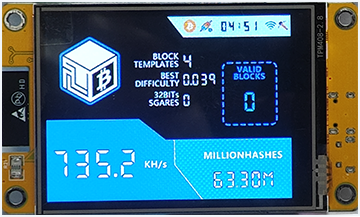
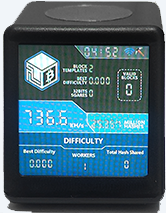
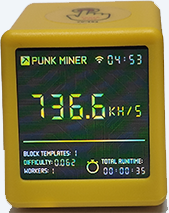
Click on the image of your SoloHash device model above to select the correct firmware. - Configure Flash Settings
Check "Erase all data/settings" if you want to perform a factory reset (optional). - Start One-Click Flash
Click "Connect & Flash Device" button, select the correct serial port. The firmware will be flashed automatically after connection.
Frequently Asked Questions
Q: My device is not detected by the browser.
A: 1. Install the CH340/CH341 VCP Drivers; 2. Use Chrome/Edge browser (WebUSB supported); 3. Try a different USB port; 4. Ensure the device is in flash mode; 5. Restart your browser after driver installation.
Q: Does online flashing work on all browsers?
A: WebUSB API is supported on Chrome, Edge, and Opera browsers (desktop only). Firefox and Safari do not support WebUSB at this time.
Q: Will flashing erase my settings?
A: Only if you check the "Erase all data/settings" option. Otherwise, your configuration will be preserved.